
Skin trading, automated.
SkinAuto is an automated trading bot that buys, sells, and confirms trades across multiple venues, including the Steam Community Market and market.csgo.com.
Buys the second it lists
Set your max price. Anything listed below it is bought in milliseconds, straight off the live feed.
Keeps your bids on the book
Set a bid and the bot holds your place in the order book, raising it a step at a time.
Confirms trades for you
It works as your Steam authenticator, accepting purchases and sales without your phone. Coming from CounterBot or SDA? Import your .maFile and keep trading with no trade hold.
Runs many profiles at once
Each profile has its own Steam account and inventory. They all trade in parallel.
Everything in one clean window
No spreadsheets, no config files, no console. Prices, positions, balance and trades — laid out so you can read the whole picture at a glance, one profile at a time while every profile keeps trading.
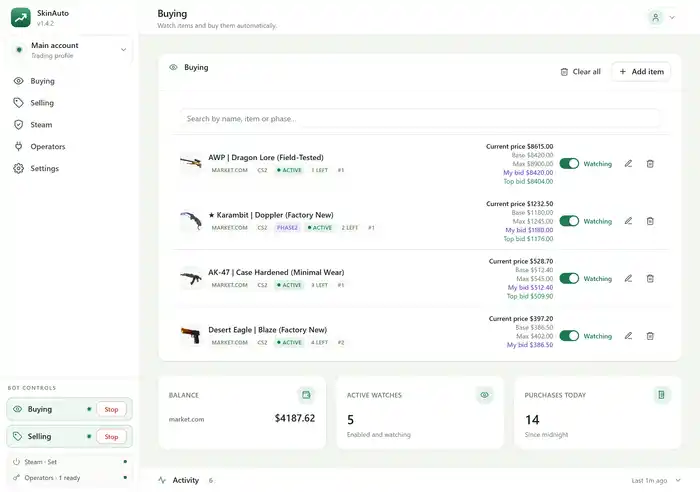
Buying
Your watch list with the live market price, your bid, the current top bid and your position in the order book — per item, updating as the feed moves.
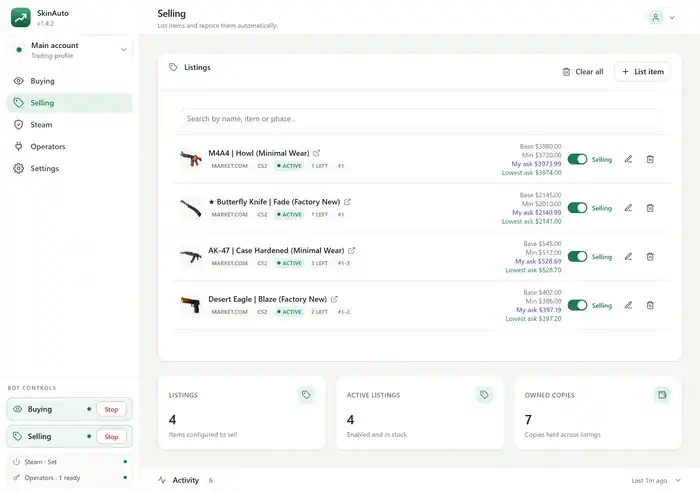
Selling
Everything you have listed, with your ask against the cheapest ask on the market and the floor you refuse to go below.
Operators
Every market the bot works through, each with its own credentials, polling and currency — and above them Steam, which holds your items whichever market you trade on.
Profiles
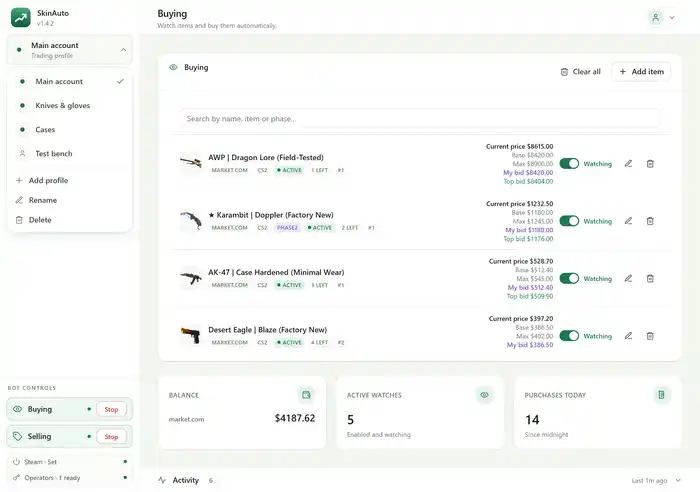
A profile per Steam account, each with its own markets, buy list, sell list and logs — and a live dot showing that the ones you are not looking at are still trading.
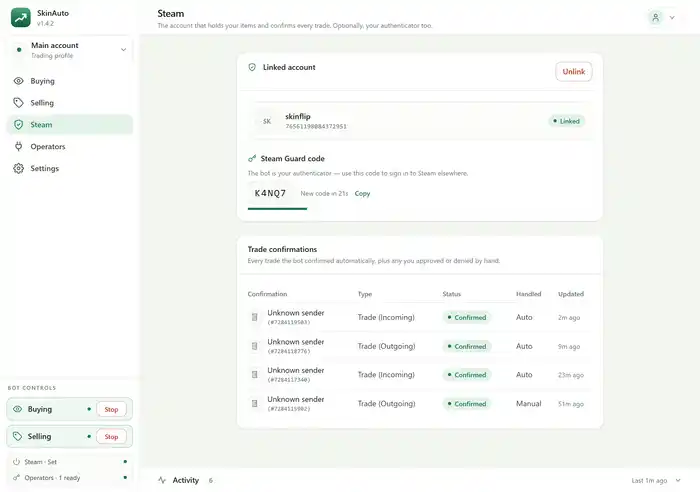
Steam
The linked Steam account, a live Steam Guard code for signing in elsewhere, and every trade the bot confirmed — with what it did automatically and what you approved by hand.
How it works
Download the app
Grab the Windows installer from this site and run it.
Activate a subscription
A subscription unlocks trading. You buy and manage it in the browser.
Connect Steam & a market
Sign in to Steam — that one is required — then set up a market to trade on.
Let it trade
Start buying and selling. Switch on auto-confirm and it accepts the trades too.
Auto-confirm is optional, and switching it on costs a one-time Steam trade hold — unless you already use Steam Desktop Authenticator or CounterBot: import your .maFile and there is no hold at all. The auto-confirm guide explains exactly what changes before you commit.
Ready to start?
Create your account, install the app, and start with a small list — nothing is bought or listed until you press start.